
Chapter 6 - The Monitoring and Supervision Framework
Adequately preparing for your audit will ensure a smooth experience.
Here’s an overview of the File Audit Process and the key documentation in the advice process and why each is crucial from a compliance perspective.
Step 2: Accessing the Supporting Documentation
Please ensure you upload all supporting documentation to the client profile in your primary CRM. On the scheduled review date, your File Auditor will login to your CRM and review the files.
If all supporting documents are available, your File Auditor will commence the review on the scheduled date.
We will notify you of any missing documentation, where you will be required to upload the files within five (5) business days from the scheduled date. The File Review will not be delayed beyond this period, which may initially result to a higher risk rating. Files can be reassessed once documentation is uploaded, in line with our remediation process

File Selection Criteria
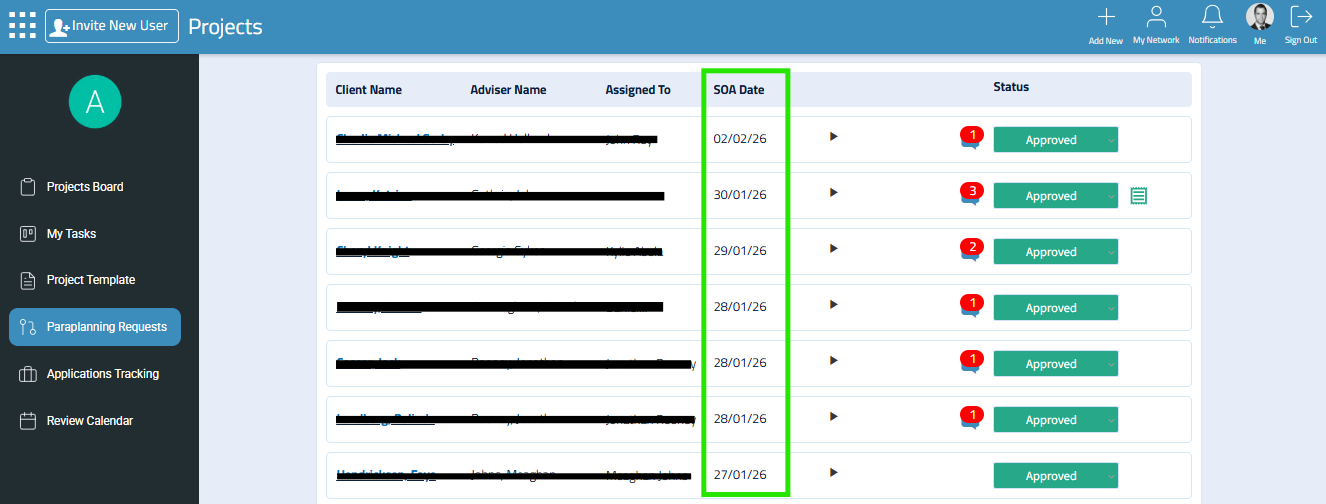
Each quarter, your auditor will log in to the iComply2 Projects app and select one file from the previous 12 months.
The selection aims to cover a range of advice types.
The licensee may periodically elect to have an audit ‘theme’ for the quarter. These themes will reflect any emerging or industry risks, or targeted areas flagged by ASIC.
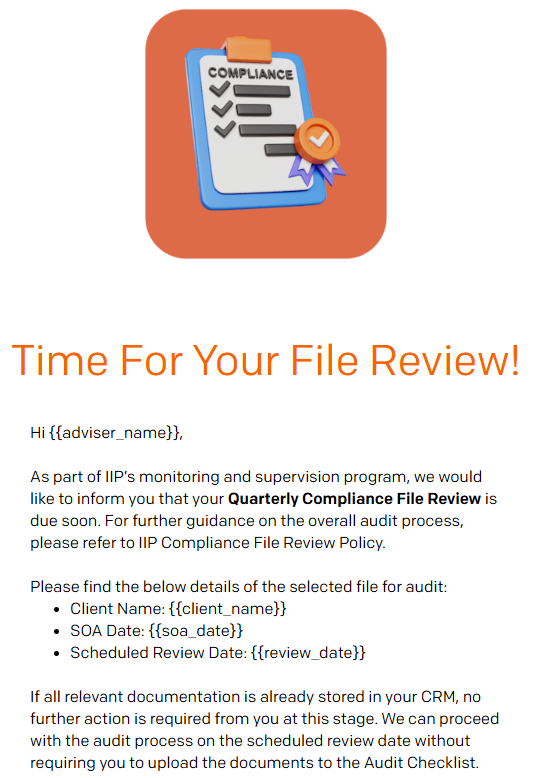
Step 1: Email Notification
You will receive an email notification of your review.
The notification email will contain:
the client name.
the soa date
the scheduled review date
Step 3: Creating the Audit Checklist
The auditor will upload the supporting documentation from your CRM into the audit checklist in the Compliance Hub.
These files will form the documentation from which the audit will be completed.

At any time, you are able to access the audit checklist from the SOA in the iC2 Projects App.
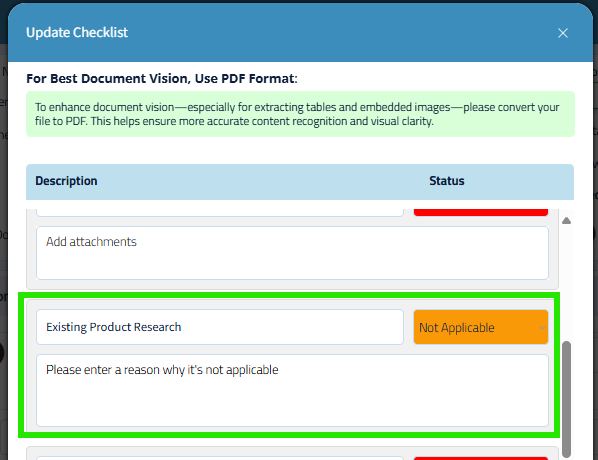
There may be circumstances where the item in the checklist is not applicable for your advice. For example, the client may not have an existing product relevant for the advice.
In this case, mark the item as ‘Not Applicable’, and enter the reason why it’s not appliable. The Compliance Reviewer will then be able to review the file with the context you have provided in the checklist.
Step 4: Commence The File Review
On the scheduled audit date, your Auditor will commence the audit and deliver the draft findings.
What Are The Audit Expectations and Standards:
In the next lesson, we will explore what the audit expectations and standards are for your file.