
Chapter 3 - SARA, your AI Compliance Agent
Want to find a licensee policy, but don’t know where to start?
You can easily access and search the IIP AFSL Policy Register from the iC2 Compliance Hub.
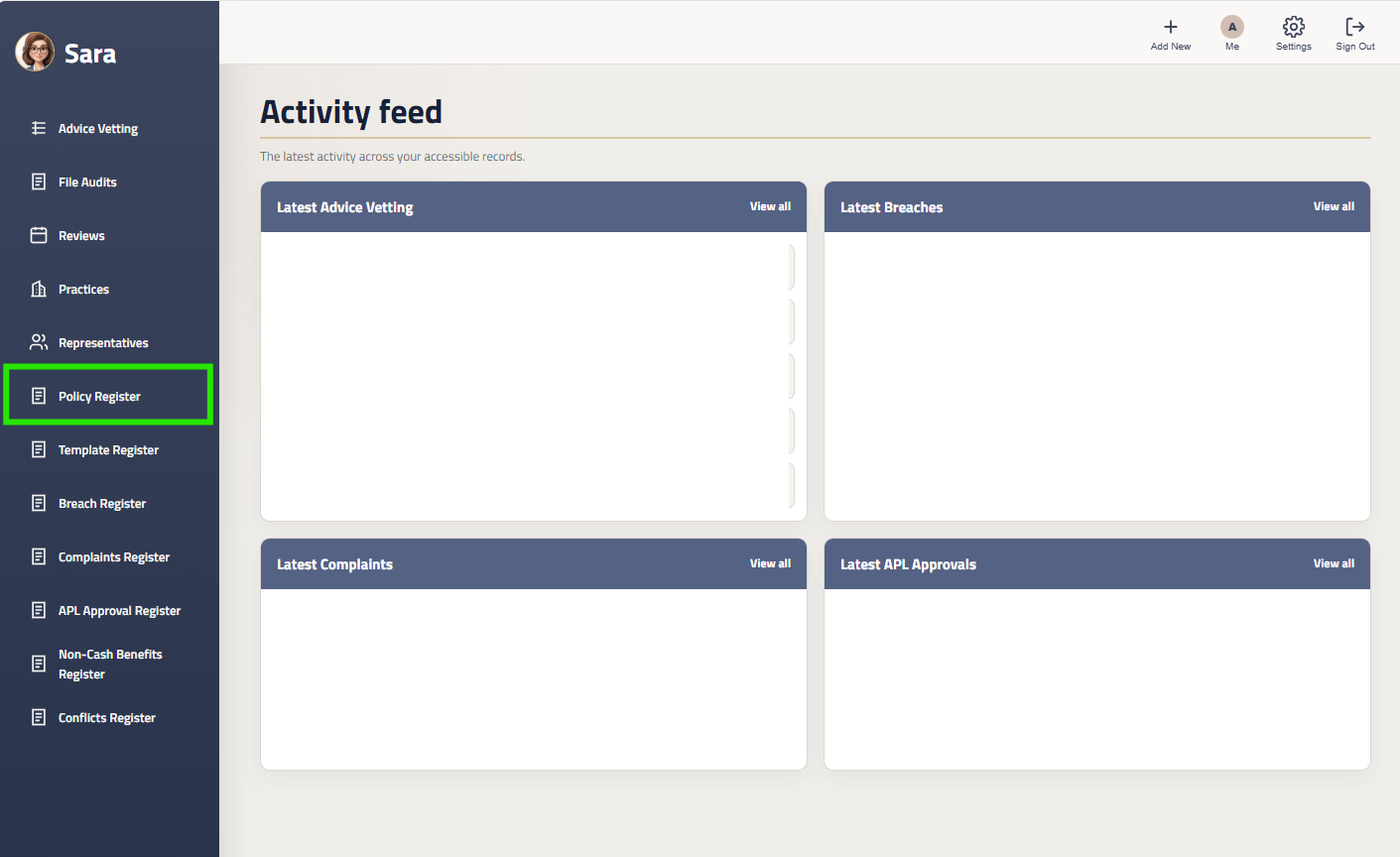
Click on Advice Policies
In the Left Menu, click on ‘Policy Register’.
Your Licensee Policy Register will appear.
Searching The Register
Once you have found the policy, click the download icon to download a policy

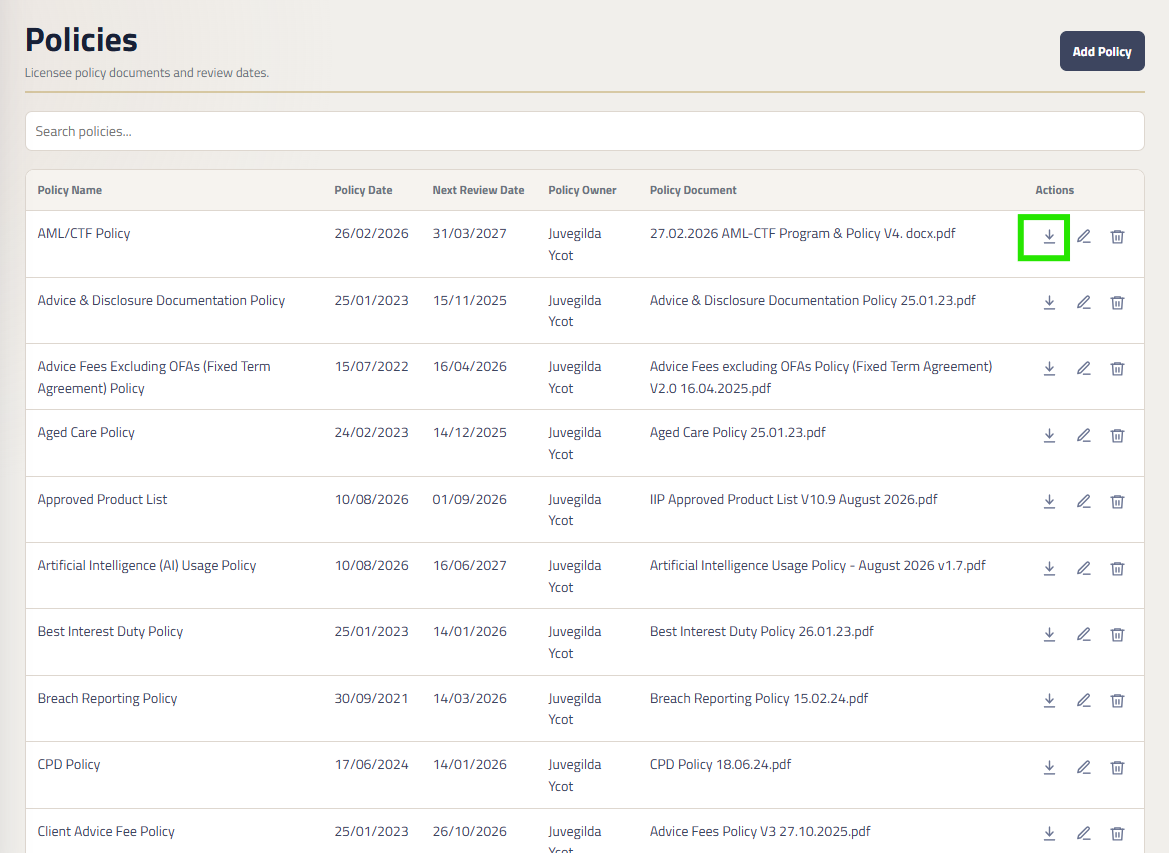
You can search the register by policy name. In the Search bar, search for the policy you are looking for, and if it is in the register, it will appear