
Chapter 3 - SARA, your AI Compliance Agent
Do you want a product added to the APL?
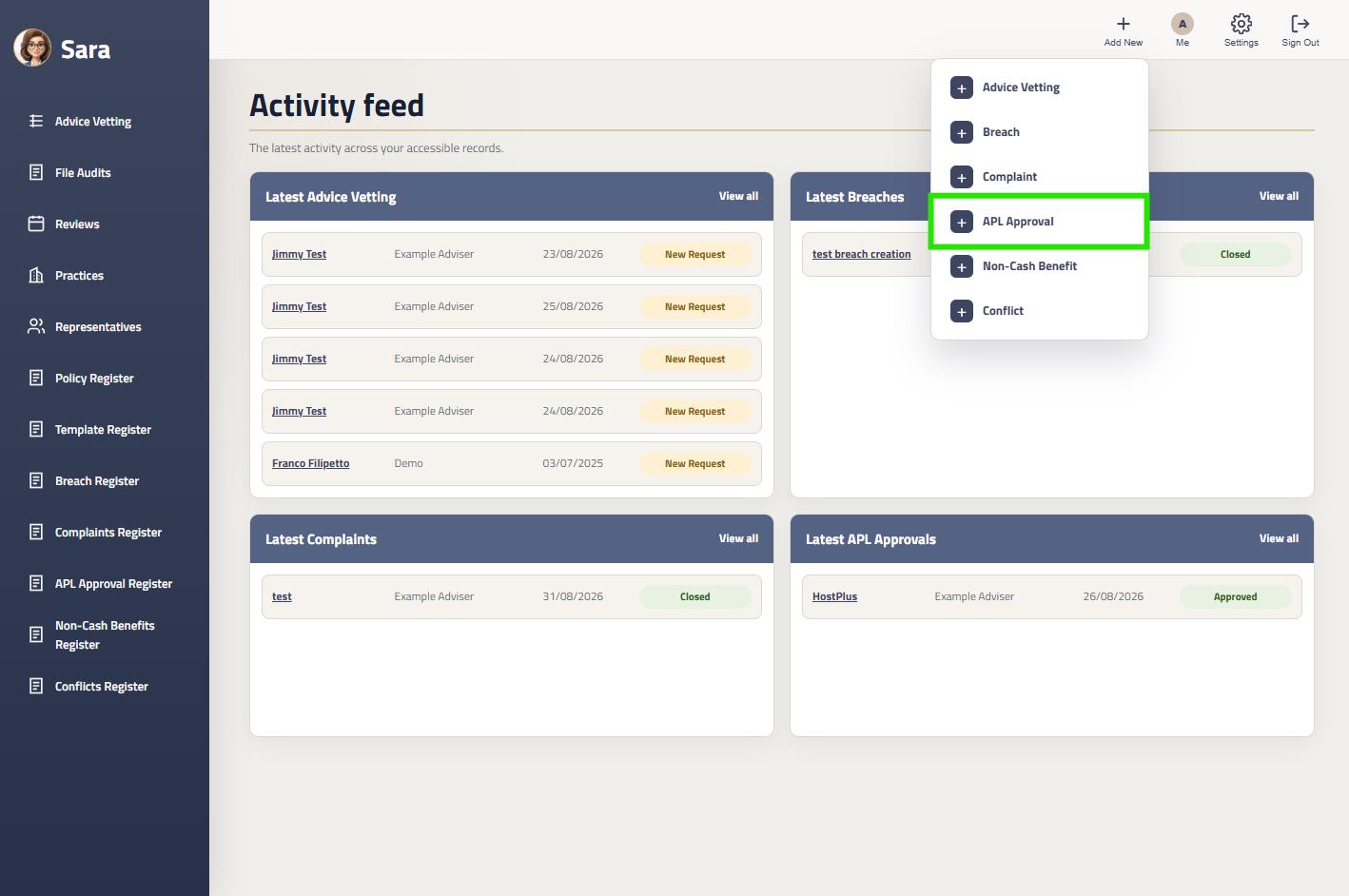
Step 1: Create An Approval Request
Step 3: Submit The Request
Accessing the Approved Product List
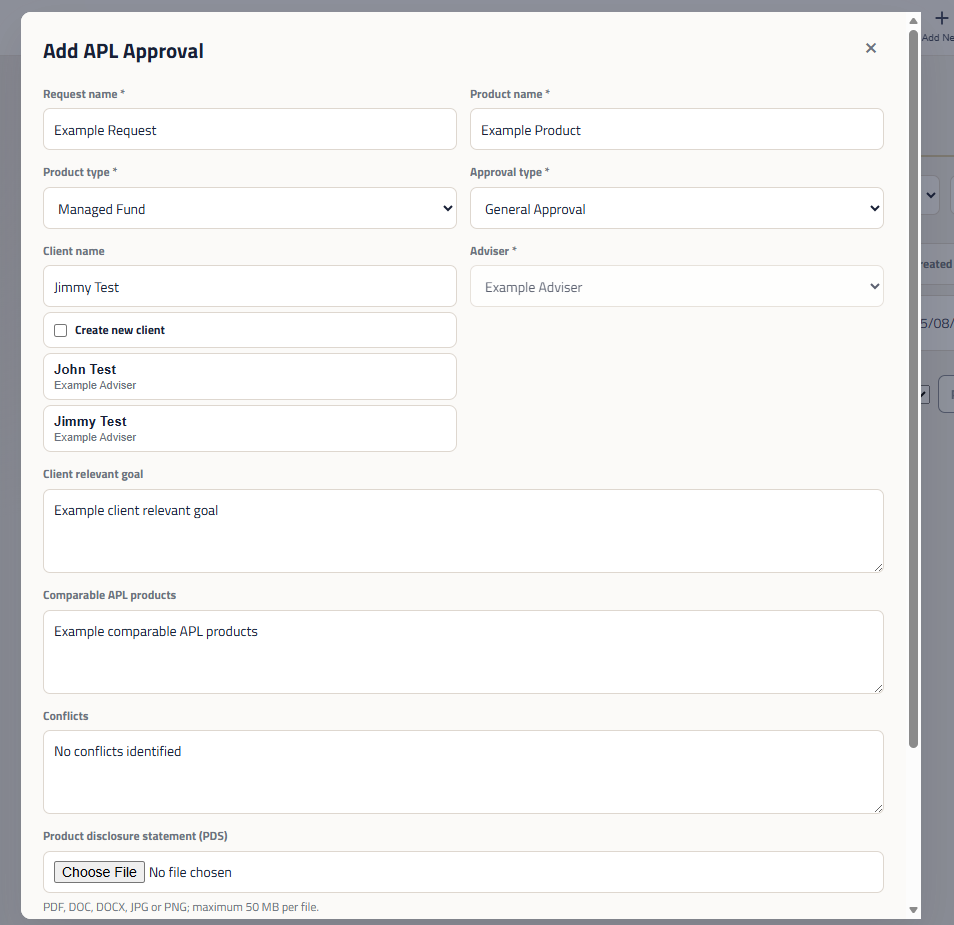
Step 2: Fill Out The Request
Action Required:
Fill out the APL Approval Request Form
Provide as much detail about the clients circumstances and the why it is in the customers best interest to use this product.
Ensure to disclose any potential conflicts of interest.
Finally, ensure you upload any relevant product research
Action Required:
In the top navbar click the ‘Add New’ icon
Then select ‘APL Approval’
Click the Create button at the bottom of the APL Approval Request Form.
This will notify your Compliance Manager of the new APL Request. Your Compliance Manager will review the request and notify you of any further questions to process the approval.
You can access the latest version of the Approved Product List from the Policy Register in Sara.
It is important to note that recommending a client retain their current product does not need APL Approval. I clients existing product is automatically acceptable on the Approved Product List. Your advice to retain the client’s current product will outline how the existing product is in the best interest of your client.