
Chapter 3 - SARA, your AI Compliance Agent
Have you received a non-cash benefit?
In this guide, we will go through the steps involved to log a non-cash benefit with IIP.
Have you received a non-cash benefit from a client or product provider?
A non-cash benefits register—often called a soft-dollar register—is a formal record an Australian Financial Services (AFS) licensee must keep of all non-monetary (“non-cash”) benefits that it gives or receives (or that its authorised representatives give or receive) in connection with the provision of financial product advice to retail clients.
The obligation arises from the conflicted-remuneration regime in Divisions 4 and 5 of Part 7.7A of the Corporations Act 2001 (Cth) and is explained in ASIC Regulatory Guide 246 Conflicted and other banned remuneration (updated November 2024).
How Do I Log A Non-Cash Benefit?
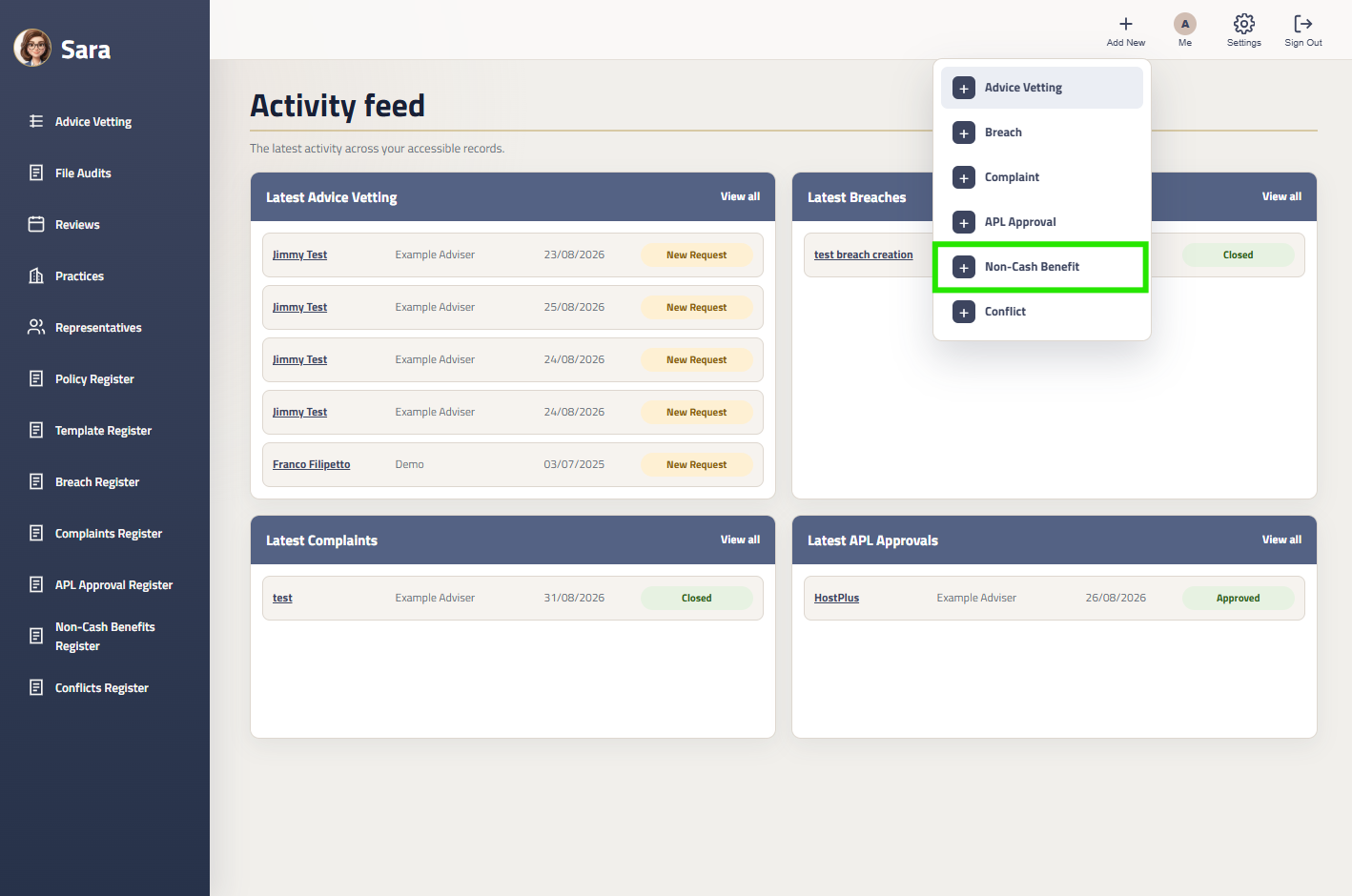
Step 1: Select Non-Cash Benefits
In the top navbar, select ‘Add New’
Step 2: Fill Out The Popup
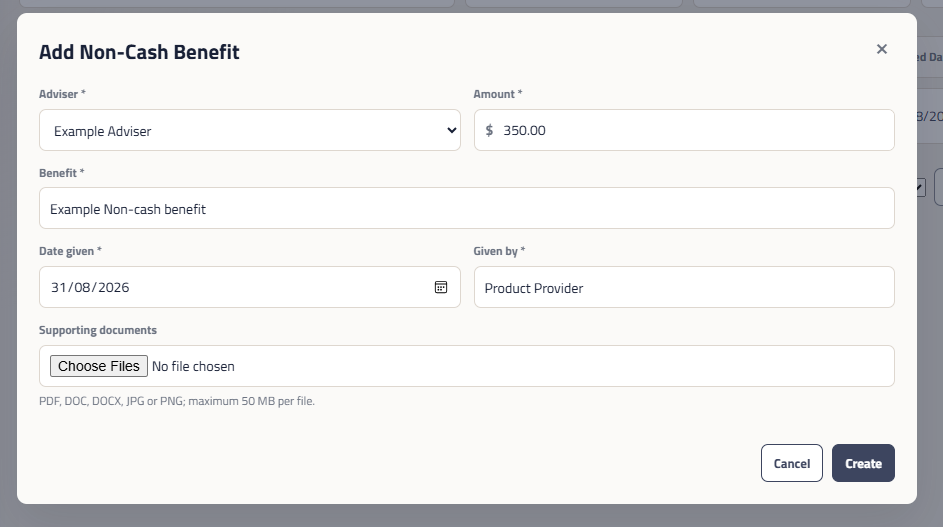
Fill out the popup with the details of the benefits received, or given.
Click the Create button to add your benefit to the licensee register.
Once completed, your Compliance Manager will receive a notification and will contact you for any information or action items are required.