
Chapter 3 - SARA, your AI Compliance Agent
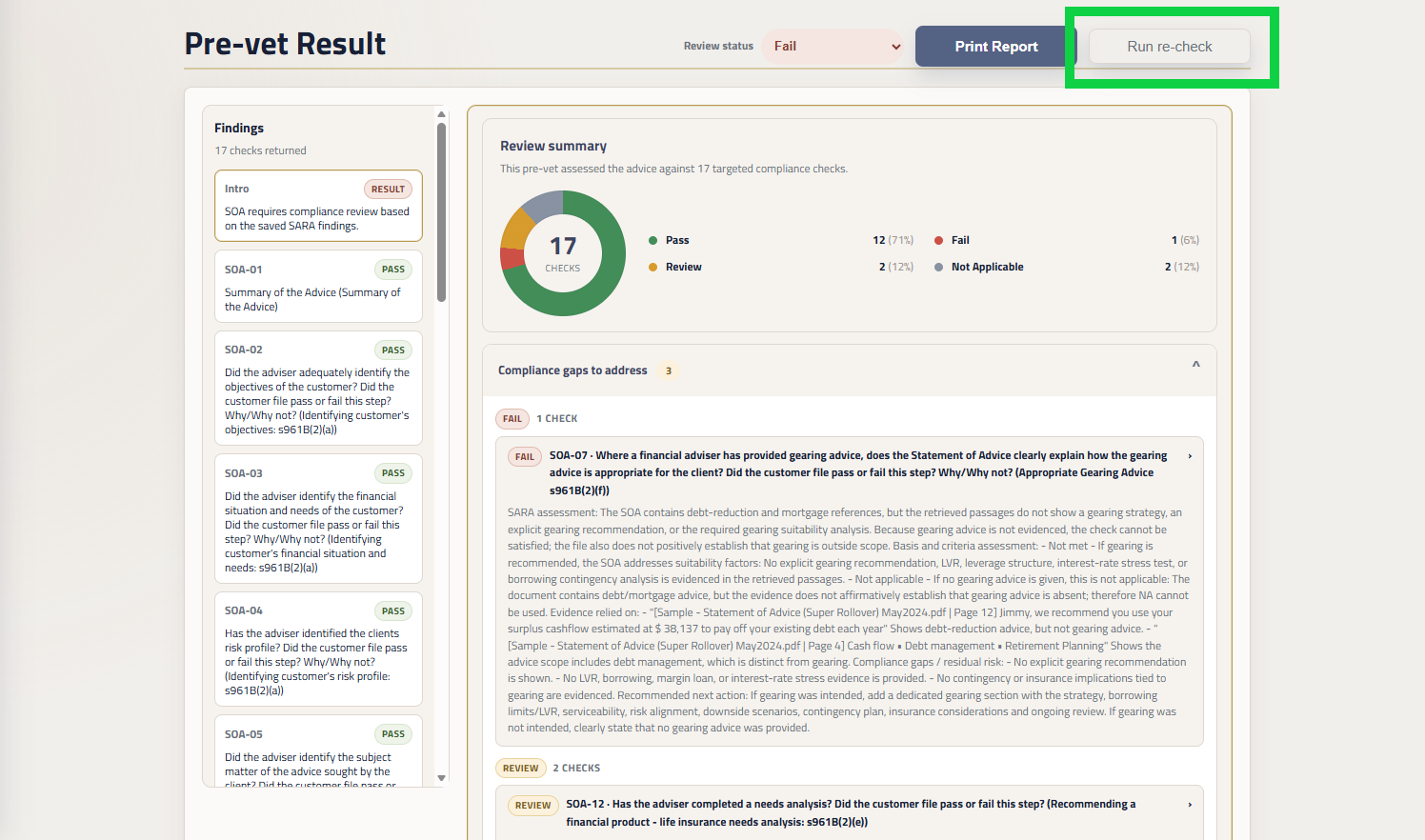
Has Sara marked any compliance checks as Review or Fail?
Using the re-check functionality, you can re-upload your updated documentation to Sara for a re-check.
Sara will review the updated documentation against any flagged checks.
Running The Re-check
Step 1: Run re-check
Before running a re-check, update your SOA for any areas that Sara has flagged.
From the Pre-Vet Result, click ‘Run re-check’
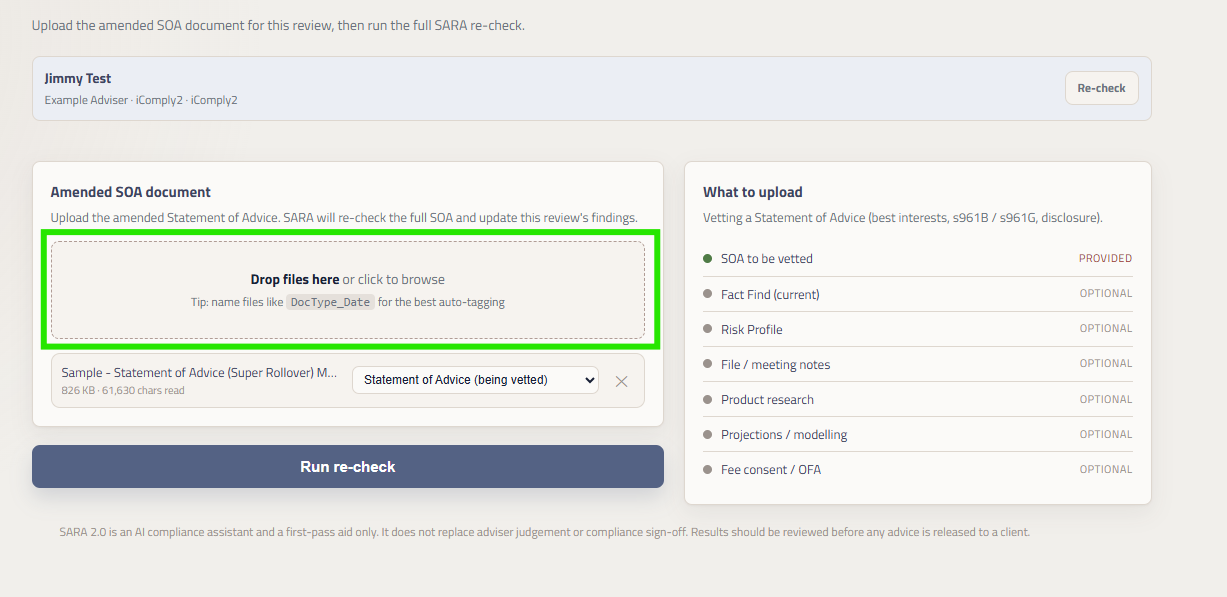
Step 2: Upload Documents
Upload your new documentation and click ‘Run re-check’
Sara will run the compliance checks that had been flagged as Review or Failed against the updated documents.
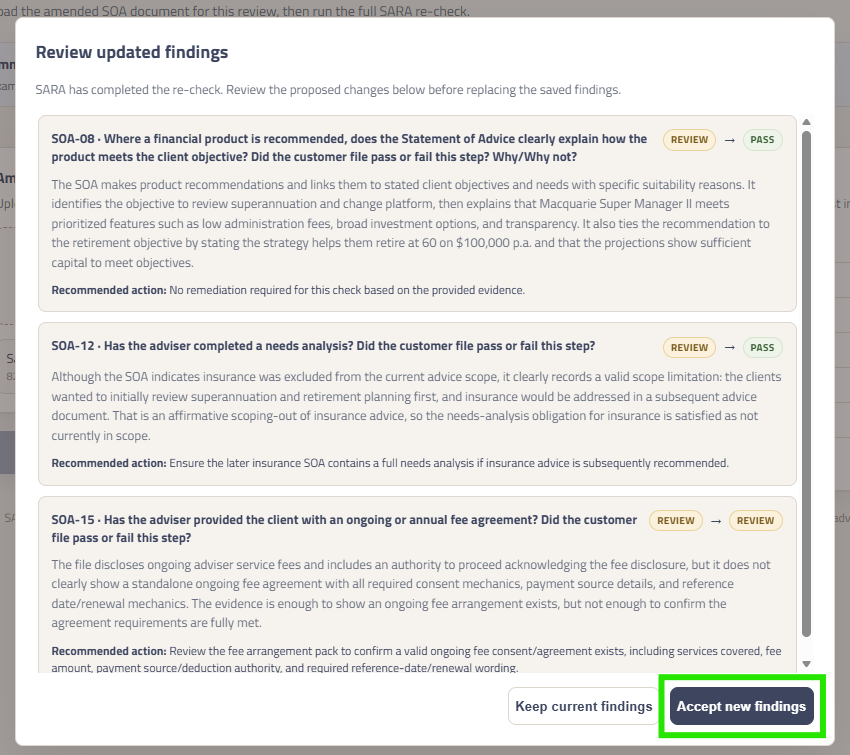
Step 3: Accept New Findings
After analysis completes:
Shows each re-checked finding.
Compares the previous and proposed outcomes.
Displays the updated assessment and recommended action.
Offers Keep current findings or Accept new findings.
The amended document and updated findings are only saved after acceptance. Cancelling leaves the existing review unchanged.
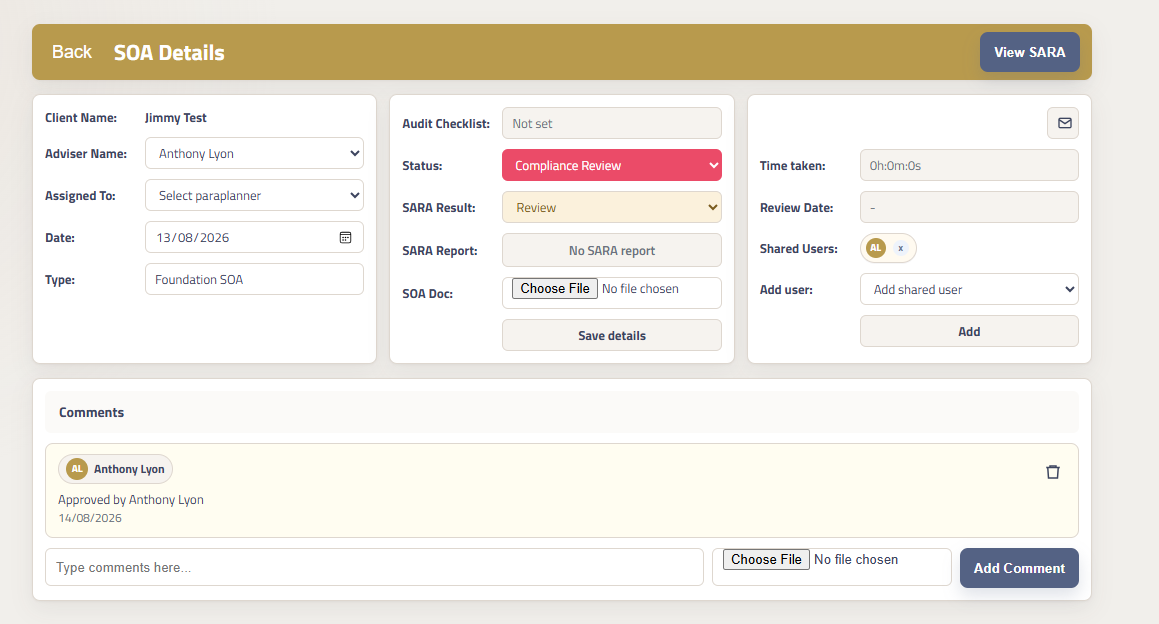
Still not passing?
If your SOA still has compliance checks that have been flagged by Sara as either Review or Fail, update the Status of your vetting request to ‘Compliance Review’ and our compliance team will review the documents and the Sara check to confirm if there are any required changes.