
Chapter 3 - SARA, your AI Compliance Agent
Sometimes, things go wrong.
When running a financial advice business, it is expected that breaches and incidents will occur.
Nobody is perfect and breaches and incidents will happen.
It’s about building a culture of reporting. Even if you are unsure if the incident may or may not be a reportable situation, it needs to be normal business practice to report the incident to your compliance manager.
How Do I Report A Breach or Incident?
Reporting a breach or incident is easy using the iC2 Compliance Hub.
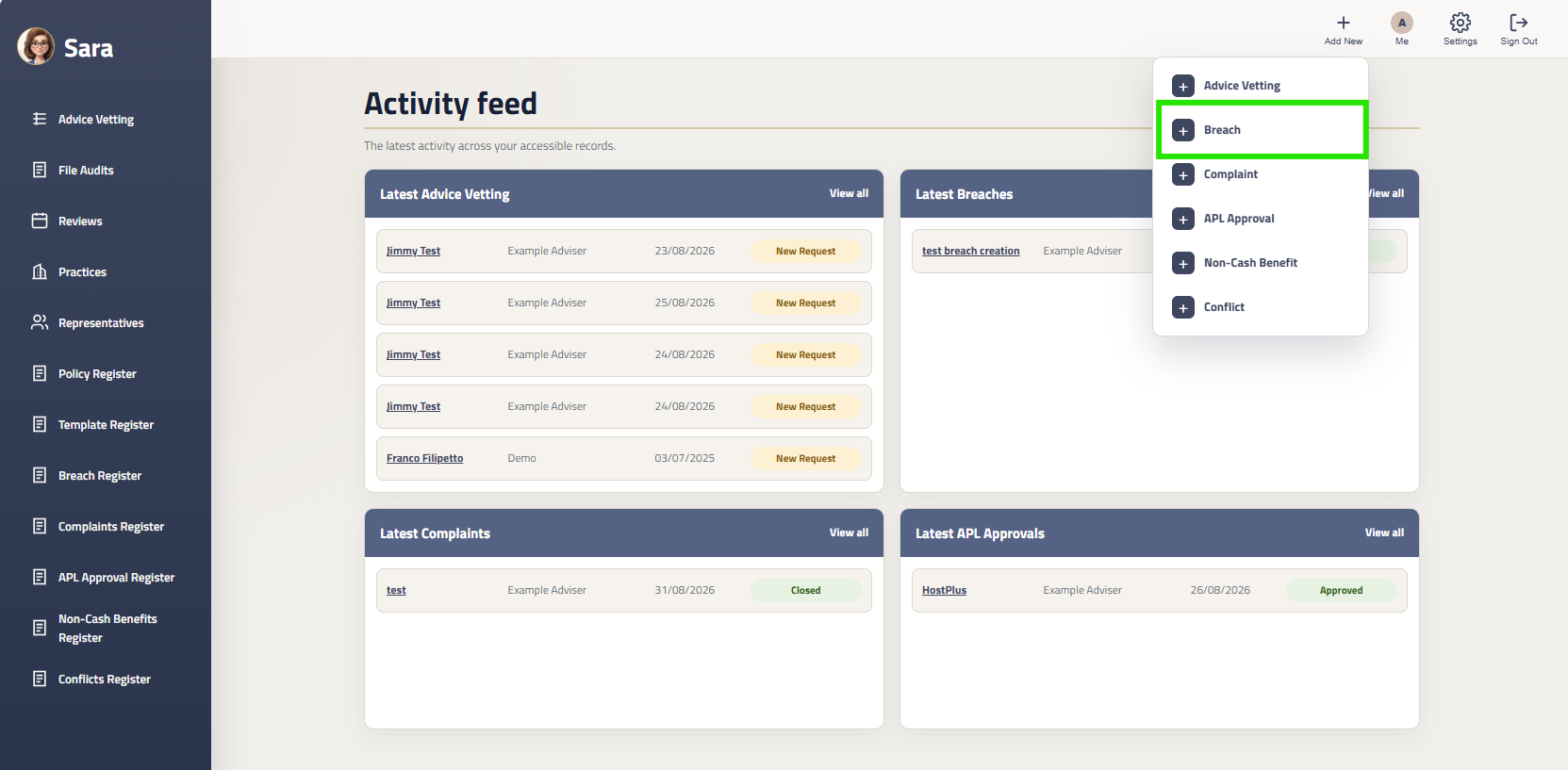
Step 1: Add the New Breach/Incident
Action Required:
From the top navbar, click the ‘Add New’ icon.
Then select Breach/Incident
Step 2: Create New Breach Popup
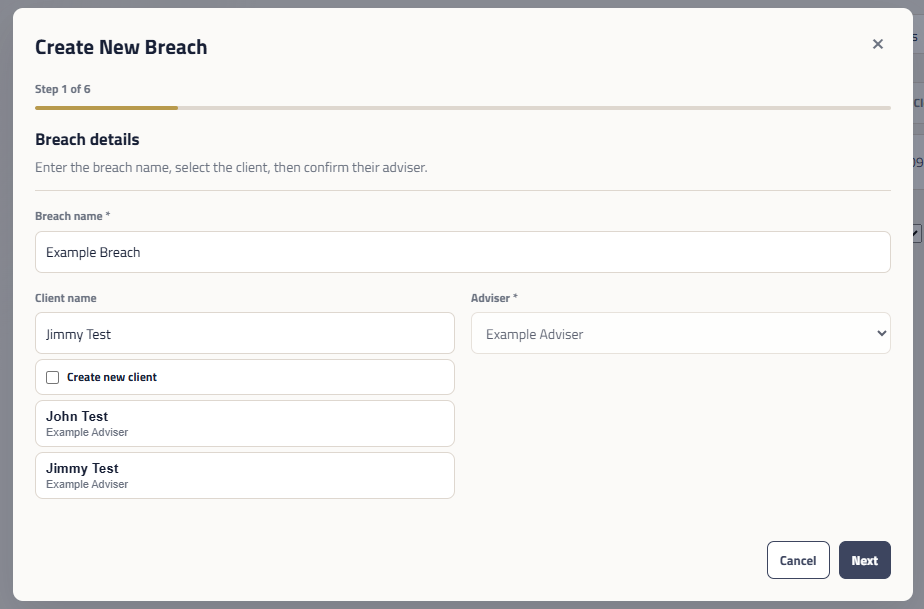
Step 3: Breach Report and Compliance Manager Notification
Once you have completed the breach, Sara will generate a Breach Report and save the report to the supporting documentation.
Your compliance manager will be notified and can start the breach assessment process. Your Compliance Manager will contact you for any further information or action items to be completed.
Reporting to ASIC
As a licensee, we have an obligation to report certain breaches to ASIC.
Your Compliance Manager will notify you if the breach needs to be reported. Any reportable breaches will be submitted to ASIC by your Compliance Manager and your Compliance Manager will work with you to .
Action Required:
Complete the ‘Create New Breach’ popup.
You will need to provide information such as the date of the breach, description of the breach, how it was detected, how long it lasted and any other information.
The more information you can provide, will assist your compliance manager is assessing the severity of the breach and any potential remediation actions.
Upload any supporting documents to the breach.