
Chapter 4 - RIMA, your Revenue Management Agent
How Often Are The Pay Runs?
We make bi-monthly pay runs. These are done on the 1st and 16th of each month.
Revenue received between the 1st - 15th is paid out on the 16th.
Revenue received between the 16th - 31st is paid out on the 1st.
Please note that revenue collected from a platform is not paid out when it is deducted from the client account. The platform debits the client account, and pays the revenue to the licensee the following month. This revenue will be distributed after it has been received.
For example: If the client account was deducted on the 10th July, we will receive the funds in early August and distribute out in the next pay run.
Accessing Your Revenue Data
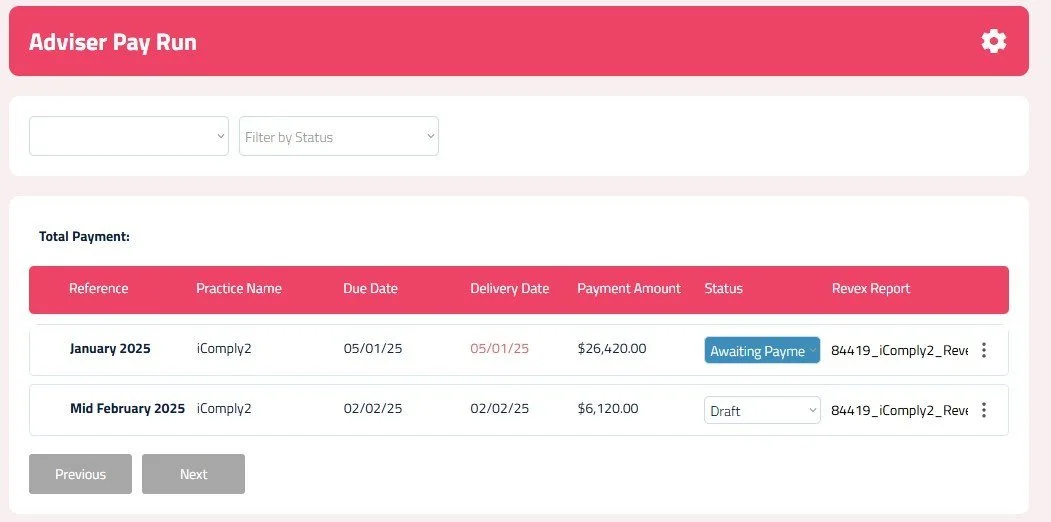
Selecting a Pay Run:
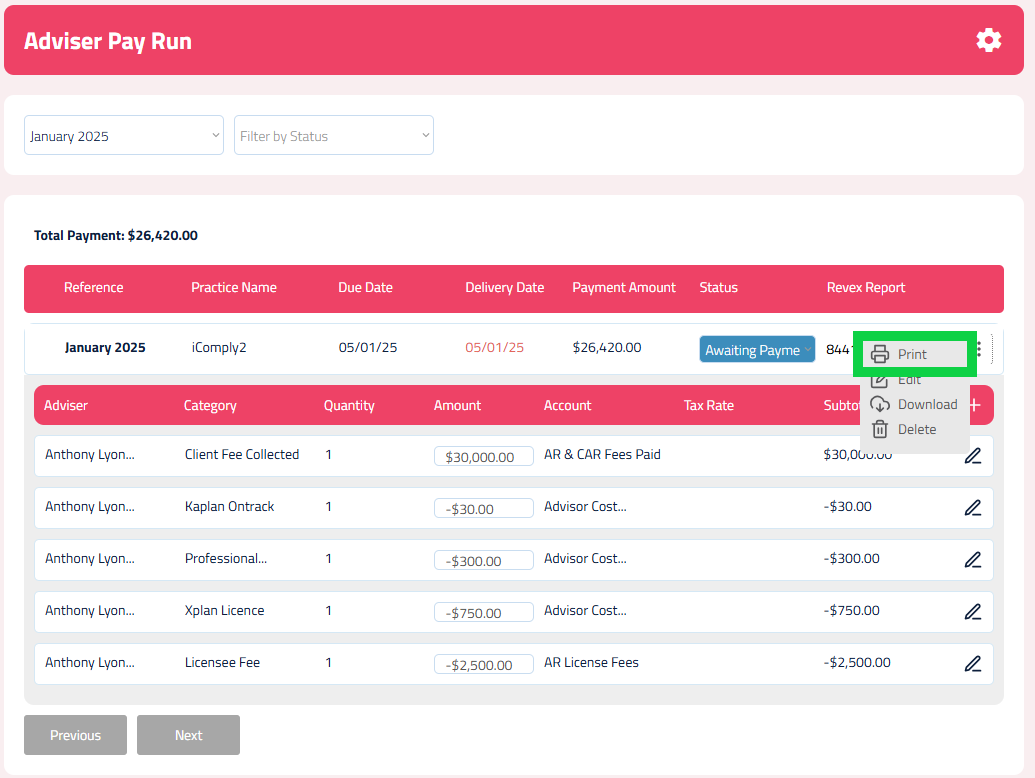
Printing Your Purchase Order/RCTI:
Click on the 3 dot ellipsis on the right-hand side of the pay run.
Select the Print RCTI icon to print your Purchase Order/RCTI for your bookkeeper.
Downloading Revenue Reports:
You will see a list of your pay runs.
You can select which pay run you would like to access by clicking on the pay run.
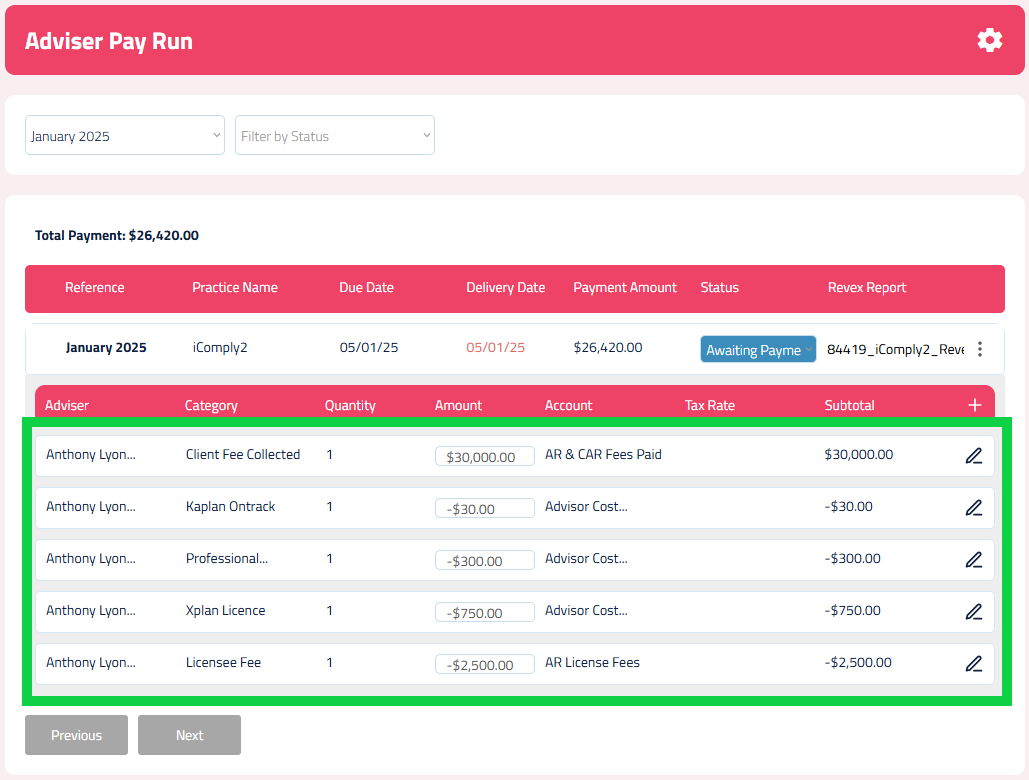
When you select a pay run, the list of line items will be displayed.
You can see your client fees collected and the list of deductions applied from the dealer group.
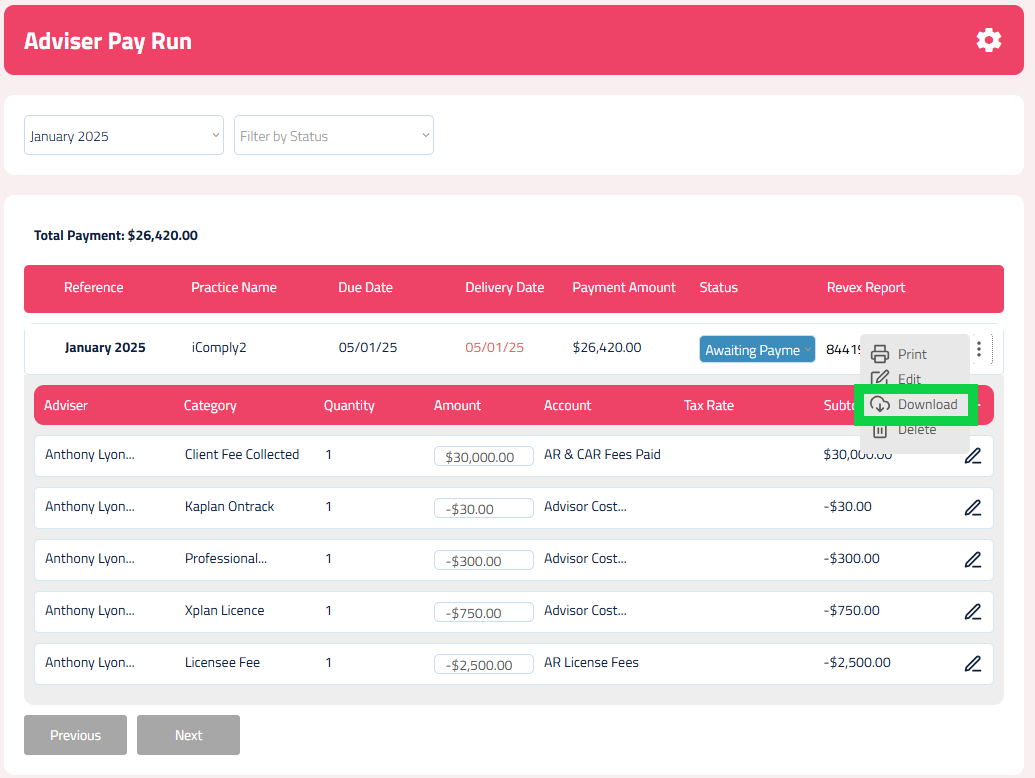
Click on the 3 dot ellipsis on the right-hand side of the pay run.
Select the Download icon to download your Revex revenue reports.